


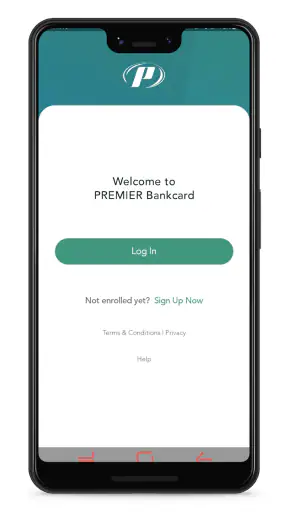
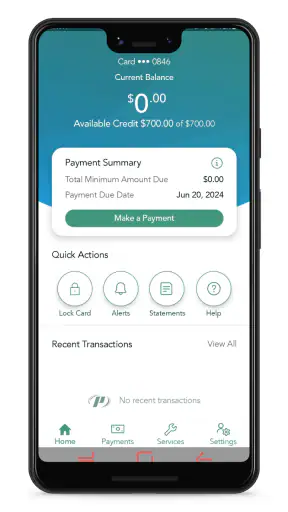
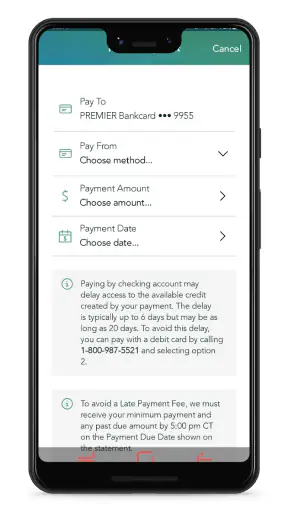
Managing a credit card from a phone sounds simple, but the details matter when the device is shared at home or when more than one person helps keep household finances organized. I spent time with PREMIER Credit Card as a finance app, looking at how naturally it fits into everyday account management rather than treating it as a replacement for a full budgeting system. My overall impression is that it is focused, practical, and easiest to appreciate when the main job is keeping an eye on a PREMIER Bankcard account.
That focus is also its main boundary. This is not a general-purpose money manager for combining several banks, tracking every household bill, or building a detailed spending plan. It is designed around managing a PREMIER Bankcard credit card wherever you are. If that matches your situation, the app keeps the important account tasks close at hand. If your financial life is spread across several providers, you will probably still need another tool alongside it.
How PREMIER Credit Card fits into a shared household routine
A realistic example is a couple sharing responsibility for a card used for groceries, fuel, and recurring household purchases. One person may make most of the payments while the other needs to check whether a recent purchase has appeared or confirm how much room remains before a larger expense. On a shared tablet or family phone, the app can be useful as a quick account window, but I would not treat it like a household noticeboard.
The important distinction is between shared financial responsibility and shared access to a login. A household may coordinate spending, but that does not mean every person should use the same device session or see every account detail. I found it more sensible to keep account access with the cardholder or another trusted adult who has a clear reason to manage the account. Someone else can receive the relevant information through an agreed household routine instead of casually opening the app.
That approach avoids a common mistake with finance apps: assuming that convenience automatically makes shared use safe. A phone left unlocked can expose balances, transaction activity, and account information even when nobody intended to hand over access. PREMIER Credit Card is useful for personal account management, but the household still needs to decide who handles which task and when the app should be closed.
What the app is good at during an ordinary day
The strongest use case is a short check between errands. Imagine standing at a store and wondering whether a planned purchase should go on the card. Opening the app can be more convenient than finding a computer, waiting for a paper statement, or calling support for a basic account question. That kind of access is exactly where a dedicated card app earns its place.
I also see value in using it as part of a payment routine. A cardholder can check the account before making a payment, review recent activity afterward, and keep those actions in one place. The benefit is not sophisticated financial analysis; it is reducing the friction between noticing an account task and completing it. For someone who prefers handling card administration from a phone, that directness matters.
Still, I would not rely on a quick glance as a substitute for carefully reviewing a statement or maintaining a broader household budget. A card app shows the card’s side of the picture. It does not automatically explain whether a purchase fits the household’s overall cash flow, what another bank account contains, or how several upcoming bills interact. I would use it for account control and pair it with a separate budgeting habit when the household needs a complete financial view.
Setting up sensible boundaries before anyone else uses the phone
For a single user, the setup is fairly straightforward: install the app, sign in to the relevant account, and make sure the device itself is protected. The more important preparation in a shared home is deciding what should happen if another person needs to use the phone. I recommend agreeing that the account remains under the cardholder’s control, even if another adult helps with payments or household planning.
That boundary is especially useful when a family member asks to “just check something.” A better routine is for the cardholder to open the app, perform the necessary check, and share only the information needed for the decision. This may feel slower than passing the phone around, but it keeps account details from becoming casually visible. Convenience should not erase account boundaries.
I would also avoid leaving the app open on a shared device. After finishing, close the session or return to a neutral screen, and do not rely on memory to protect an account. The exact security options available can depend on the device and account setup, so I would review what the app presents during sign-in rather than assuming every phone offers the same controls.
Another useful boundary is separating “help with a task” from “ownership of the account.” A partner might remind the cardholder about a payment or help compare a purchase with the household plan without needing independent access. That distinction keeps responsibility clear and reduces confusion if a transaction later needs to be questioned.
Coordinating payments and purchases without turning the app into a family planner
PREMIER Credit Card works best when coordination stays simple. For example, one person can decide that the cardholder checks the account each evening while the other person records shared purchases in the household budget. The app handles the card-related check; the separate budget handles the wider conversation. I prefer this division because it gives the app one clear job instead of expecting it to become a complete family finance center.
A practical workflow is to check recent activity after a day of shared spending, identify which purchases belong to the household, and then discuss anything unfamiliar before making the next payment decision. This is more useful than opening the app repeatedly without a purpose. It turns account review into a small, repeatable habit and gives both adults a clear point at which to resolve questions.
There is a trade-off here. A dedicated card app can be faster than a bank app that combines checking, savings, loans, and cards, but it also gives you a narrower view. If your household mainly needs to manage the PREMIER Bankcard account, that narrow view feels efficient. If you want one dashboard for accounts at different institutions, a broader banking or budgeting app will usually be the better companion.
I would also avoid using the app as the only record of household agreements. The app can help someone check the card, but it does not replace a shared decision about spending limits, reimbursement, or who is responsible for a payment. Those rules belong in the household routine, not in assumptions about what the app will coordinate automatically.
Age, trust, and the difference between a useful helper and an account holder
The app carries an Everyone content rating, which makes its presentation suitable for a broad audience. That should not be confused with unrestricted financial access. A young person may be able to understand a balance or help a parent find a transaction, but the account itself involves adult financial responsibility and private information.
For that reason, I would keep regular use with the cardholder or a trusted adult. A teenager could be shown how a payment check works under supervision, but I would not hand over an unlocked phone and assume that the age rating settles the question. Trust, privacy, and the consequences of an accidental action matter more than whether the interface looks easy to navigate.
This is also relevant for older relatives who help manage household finances. A simple account-focused app may be less intimidating than a crowded financial dashboard, but the person assisting should still know whose account is open and what action is being taken. Before confirming anything important, I would pause and read the screen carefully rather than rushing through a familiar routine.
In a household with changing responsibilities, it helps to review access periodically. A former roommate, a relative who no longer handles bills, or anyone who used the phone temporarily should not remain part of the account routine by default. The app does not remove the need to revisit those decisions; it simply makes card management available from a convenient device.
What I noticed about the app’s identity and reach
PREMIER Credit Card is developed by PREMIER Bankcard, and its purpose is clear from the moment you think about what it replaces: it brings card management to a mobile screen instead of making every task depend on a desktop browser or a phone call. I like that it does not pretend to be a universal financial command center. The experience makes the most sense for people whose main relationship in the app is with a PREMIER Bankcard credit card.
It is free to install, has an Everyone age rating, and supports devices running Android 7.0 or later. The current version is 3.19.5. Those details make it approachable for people using an older compatible Android phone, although practical performance can still vary with the device and operating system. I would keep the app updated when possible, especially for a finance tool, while remembering that an update does not replace careful sign-in habits.
The app has built a substantial user base, with over a million installs and a 4.6 average from around 252 thousand ratings. Those figures suggest that many cardholders find the basic experience worthwhile, but they do not guarantee that it will suit every account situation. A high average can tell me that the core workflow is working for a lot of people; it cannot tell me whether my household needs multi-bank budgeting, detailed reporting, or a different type of account access.
Where the focused design helps, and where it can feel limited
The focused design is its clearest strength. When I want to deal with the PREMIER Bankcard account, I do not have to navigate through unrelated financial products. That can make a quick balance or activity check feel less distracting than using a large banking app filled with features I never touch.
The limitation is the same focus. Someone looking for spending categories, shared budget planning, a combined view of several cards, or a household dashboard may find the experience too narrow. I would not choose it as my only financial app if my main goal were understanding total monthly spending across different accounts. A separate budgeting tool or a bank app with broader aggregation would be more appropriate for that job.
There is also a human limitation: the app can make account access easier, but it cannot decide whether a purchase is wise, whether two household members agree, or whether a payment fits the rest of the month. That judgment remains with the user. In my view, the best results come from treating the app as an account-management instrument rather than as financial advice.
For households, the narrow scope can actually prevent confusion. One person can be responsible for the card while another maintains the larger budget. The downside appears when everyone expects the app to provide a shared, automatically coordinated picture. It is better to establish that expectation before relying on it for family decisions.
Questions I would settle before making it part of my routine
If you are wondering whether it works for a shared household, my answer is yes, but only with deliberate boundaries. I would use it on the cardholder’s device or under the cardholder’s supervision, rather than treating a common family phone as an open account terminal. That keeps the convenience while reducing accidental exposure of private information.
If you are asking whether it can replace a general budgeting app, I would say no. It is best for managing the PREMIER Bankcard relationship, while a separate tool remains useful for rent, utilities, cash spending, other cards, and savings goals. The two can complement each other: one provides the card account view, and the other provides the household view.
If you are concerned about using it on an older Android phone, the minimum requirement is Android 7.0 or later. I would still check that the phone receives security updates and has a screen lock, because compatibility alone does not make financial use sensible on an unprotected device.
If another adult needs to help, I would first decide whether they need to see the account at all. Often the better arrangement is for the cardholder to perform the action while the other person helps with the household decision. That preserves a clear line of responsibility and avoids turning informal assistance into uncontrolled account sharing.
Finally, if your card is not a PREMIER Bankcard account, this app is unlikely to be the right destination. Its value comes from being tied to that specific card relationship. Someone seeking a neutral wallet, a multi-bank dashboard, or a general expense tracker should look elsewhere rather than forcing this focused app into a role it was not designed to fill.
My household verdict after using it
I would recommend PREMIER Credit Card to a PREMIER Bankcard holder who wants straightforward mobile access to card management and does not need a full household finance suite. It is especially useful for the person who checks account activity between errands, keeps payment responsibilities organized, and prefers a dedicated app over a browser-based routine.
For shared homes, my recommendation comes with one condition: decide the access rules first. Keep the account tied to the cardholder or a trusted adult, use supervision when someone else needs help, and pair the app with a separate household budget if several accounts are involved. That combination respects both convenience and privacy.
My final view is positive but deliberately practical. The app is not a family-control system, a financial coach, or a replacement for household communication. It is a focused finance app from PREMIER Bankcard that can make card administration easier when used by the right person for the right task. If your goal is dependable access to one PREMIER Bankcard account, it is a sensible free companion; if your goal is total household financial coordination, choose a broader tool and use this one only for the card itself.


